

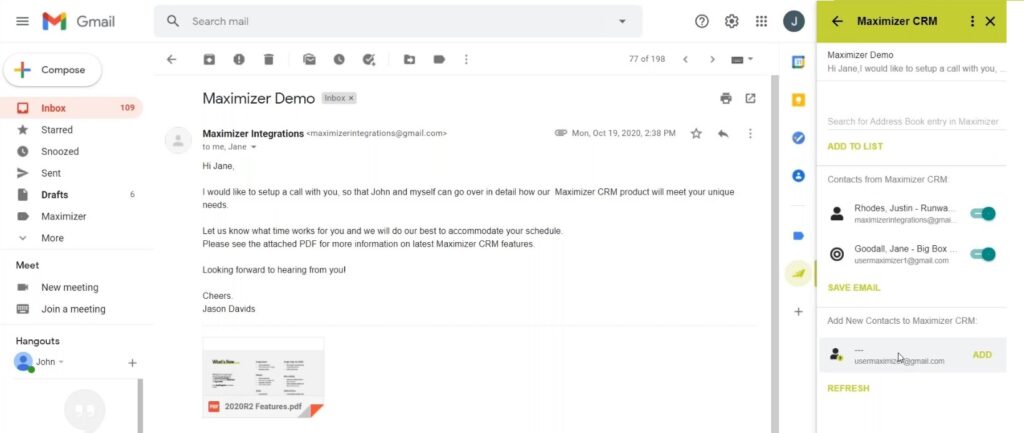
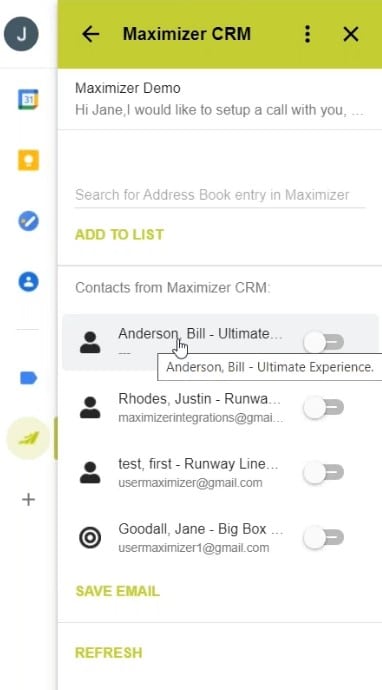
Originally launched in January 2021, this feature may have sneaked past you! The Maximizer CRM cloud platform now has an add-on to integrate with your Gmail to help you manage and track your conversations by saving email interactions to your Contacts or Leads. In this blog, we will show you how to use Maximizer’s Gmail integration.
Save Emails and Manage Records in your Maximizer Database
Create new records, update existing records and save emails for the following records, directly from Gmail:
- Companies
- Individuals
- Contacts
- Leads
- Customer Service Cases
- Opportunities
Additionally, create follow-up Tasks from Gmail.
Gmail Integration Video Tutorials
Watch the following videos from Maximizer’s YouTube channel for more information:
Maximizer Gmail Add-On – Save Emails to Opportunities
Maximizer Gmail Add-On – Save Emails to Contacts
Maximizer Gmail Add-On – Save Emails to Cases
Maximizer Gmail Add-On – Create New Lead Records
Maximizer Gmail Add-On – Create New Company ; Contact Records
Maximizer Gmail Add-On – Create New Contact Records
Installing the Maximizer Add-On for Gmail
As soon as you are ready to install this app, go to the Google Workspace Marketplace using the link to the Maximizer CRM for Gmail listing.
Getting Started Guide
Read the Getting Started Guide for Gmail Integrations 2021 for detailed instructions on how to get started.
You can also get directly in touch with us to learn more about how to use Maximizer’s Gmail Integration:
- Tel: +44 (0)1992 661244
- Email: enquiries@avrion.co.uk
- Web form here
- Subscribe to our YouTube channel


