
ithin Maximizer CRM
Having your customers’ financial data at your fingertips saves you time – you no longer need to wait for the Finance Department to provide you with the requested information. You can simply log on and find all the financial details in Maximizer CRM.
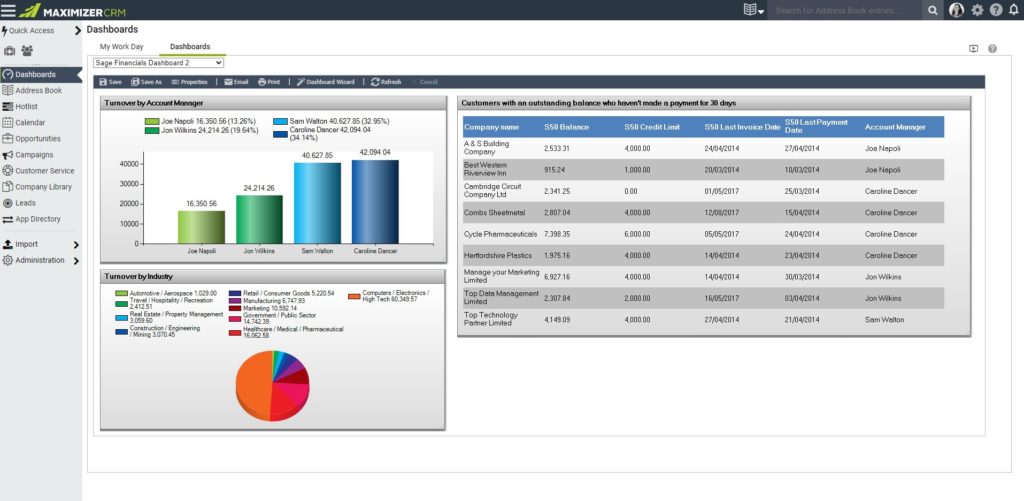
Use Maximizer CRM’s powerful dashboard feature to set up information the way you want to see it, with CRM and financial data amalgamated. For example, you can display turnover broken down by CRM fields, such as industry or company size. Why not configure alerts so you are notified about key financial information related to your customer as it happens, like when one of your customers is put on hold, or a customer exceeds their credit limit.
The benefits of Financials for Sage 200 are many:
- Quick to get up and running.
- Easy to use – no training required.
- Customer financial data within Maximizer CRM
- Saves time – access valuable financial data within CRM.
- Improves operational efficiency – automate processes in CRM.
- Reduces trading risks – customer debtors exposed within CRM.
- Delivers accurate customer analysis – joining CRM data with financial data for searching, grouping, dashboards, reporting.
What are the Financials for Sage 200 Features?
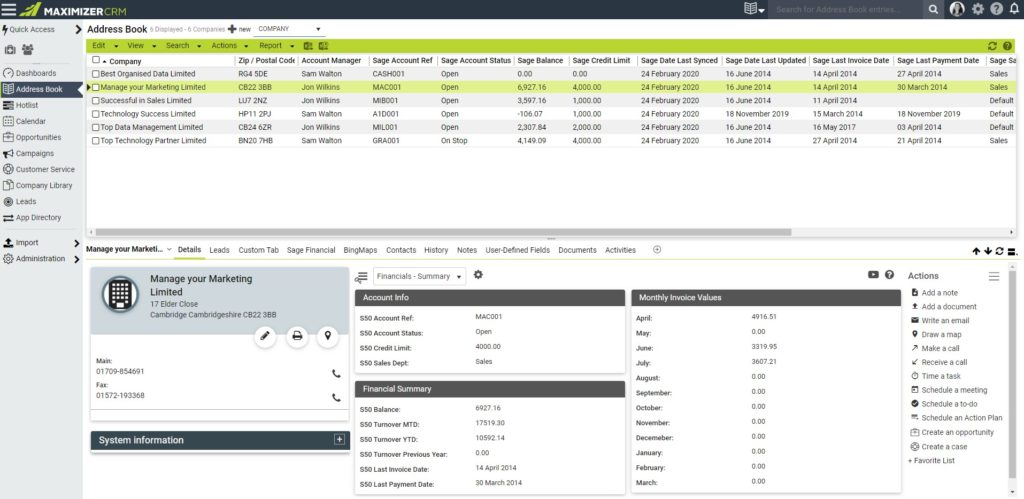
View Sage 200 data within Maximizer without the need for a Sage 200 Licence
 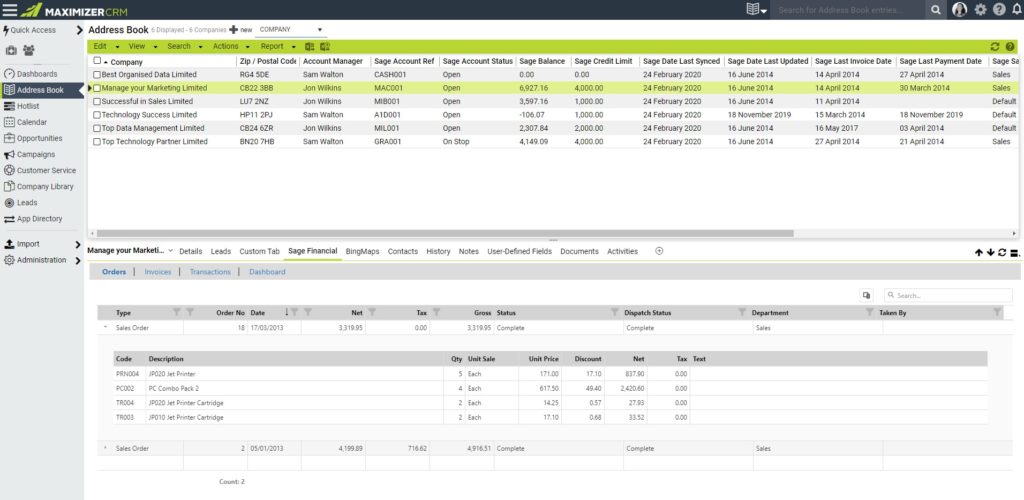
Ledger summary and CRM data in one place
Use Dashboards to track turnover
Sales
- Empower Account Managers with financial information
- Self-serve enquiries that are usually made to the Accounts Department
- Identify top customers by spend
- Notification of customers placed on hold
- Enhanced customer service
Credit Control
- Credit Control notes visible to all / some users
- Fewer interruptions from colleagues with financial queries
- Pipeline analysis
- Customer profiling
Management
- 360-degree view of customer financials in CRM
- Performance management
- True financial figures and analysis
- Ability to dashboard financial information
Are you looking for an affordable integration between Sage 200 and Maximizer CRM so you can see a 360-degree view of all your customers? Configured for your business, our Financials for Sage 200 data connector works for both Maximizer CRM Cloud and On-Premise Editions.
Need a Site Licence? No problem – our cost-effective Site Licence allows you to deploy the Financials for Sage 200 data connector across an unlimited number of users on a single site.
Need more? We can use our Financials for Sage 200 as a base platform and enhance it further into a more sophisticated custom connector.
If you’d like one of our Avrion Apps or would like to discuss the need for a custom connector to join up your systems, please Get in touch.


